Your 1:1 Traffic Exchange
Free Website Hosting
Sharizal's Photography
Showing posts with label Computer. Show all posts

Tuesday, June 23, 2009

EBOOK : Web User June 2009


Web User June 2009
download

Sunday, April 5, 2009

SOFTWARE : All In One : Windows Cleaners (AIO) v2.0


Windows Cleaners (AIO) v2.0

it is a collection of best softwares to clean windpws from viruses, errors, programs, ending bad process, Temp file's remove and fix registry, without any installation on your pc and just using one icon to start.

it contain portable programs ( no need for setup) :
HijackThis v2.0.2
MSN Photo Virus Removal v2.63
W32/AutoRun Worm v5.0 Free Virus Removal Tool
SmitFraudFix v2.400
CCleaner v2.17
ATF Cleaner XP,Vista
MSConfig CleanUp v1.5
The Process Explorer v11.33

Download
Mirror


Tuesday, March 24, 2009

Portable Your Uninstaller! PRO 6.2.1346 Multilingual

Portable Your Uninstaller! PRO 6.2.1346 Multilingual

Portable Your Uninstaller! PRO 6.2.1346 Multilingual | 4.50 MB

Do you have programs that you can not get rid of from your PC? Is your computer become slower and slower? Do you often received unexpected errors? They can be fixed!

Key benefits:
Uninstall any installed program completely, even corrupted ones.
* Fix invalid uninstallations in one click.
If you often install/uninstall software, you will most probably face these corrupted programs, let Your Uninstaller! 2008 fix them.
* Full system scan after a program being uninstalled for complete removal.
Your Uninstaller! 2008 scans whole system for related traces and completely remove them after normal uninstallation, you will not notice the program has ever installed.
* Force removal of a program.
For some hard to remove programs, this is a good choice, extremely useful for old-fashion programs.
* Keep system stable and clean with various system tools.
Your Uninstaller! 2008 has built-in system tools like Uninstaller, Startup Manager, Internet Traces Eraser, StartMenu Manager, Disk Cleaner to keep Windows clean and in order.
* Easy to Use. No expert knowledge required.
Usability is always in our mind when developing products, Your Uninstaller! 2008 is simple and straightforward to complete all tasks. No hassle, no confusion.
* Windows Vista Compatible.
Your Uninstaller! 2008 is Windows Vista Compatible both for 32bit and 64bit versions. Of course, it also works for Windows XP and perfectly.
* Safe and Trusted.
Your Uninstaller! 2008 is 100% virus and spyware free. No crashes, seizures, slow downs and error messages with the safest and most trusted solution from a leading software vendor.

Homepage - http://www.ursoftware.com/download.php


Thursday, March 19, 2009

SOFTWARE : Oxford English Dictionary


Oxford English Dictionary v.11 Portable
Oxford English Dictionary v.11 Portable | 7,23 Mb


New edition of the world famous Concise Oxford English Dictionary provides an authoritative description of the English language. With instant access to over 240,000 words, phrases, and definitions, this program is ideal for anyone needing an up-to-date dictionary of current English on their PC for study, work, or home.


Download:
Download
Mirror

Friday, March 6, 2009

SOFTWARE : MICROSOFT OFFICE STANDARD 2007


Tuesday, February 24, 2009

SOFTWARE : WALLPAPPER BABY

Babies Walls


Cute Babies Walls | Various Sizes | 40 JPG | 11.0 Mb

Thursday, February 19, 2009

EBOOK : Computer Magazines 4 in 1 February 2009

Computer Magazines 4 in 1 February 2009

Computer Magazines 4 in 1 February 2009


1. PC Magazine
2. Computer Shopper
3. PC World
4. Macworld
5. PC Chop Shop

Download:
Computer Magazines 4 in 1 February 2009

Computer Magazines 4 in 1 February 2009


1. PC Magazine
2. Computer Shopper
3. PC World
4. Macworld
5. PC Chop Shop

Download

SOFTWARE : Radium Icon Pack

Radium Icon Pack

Radium Icon Pack

Enjoy these amazing Icons....


Download

Friday, January 16, 2009

PC Repair and Maintenance: A Practical Guide

PC Repair and Maintenance: A Practical Guide


Table of Contents
PC Repair and MaintenanceĆ¢€”A Practical Guide
Introduction
Chapter 1 - Overview
Chapter 2 - System Configuration and Computer Hygiene
Chapter 3 - Motherboards and Their Components
Chapter 4 - Cases and Power Supplies
Chapter 5 - Memory (RAM)
Chapter 6 - Magnetic Disk Drives
Chapter 7 - CD and DVD Drives
Chapter 8 - Video, Sound, Modems, and Network Adapters
Chapter 9 - Input Devices
Chapter 10 - Troubleshooting Internet Connections
Chapter 11 - Troubleshooting
Chapter 12 - Things Not to Do with a Computer

PC Repair and Maintenance: A Practical Guide is a reader-friendly guide to repairing computers (running either Microsoft Windows 95, 98, Me, 2000, or XP) through easy-to-understand language, detailed diagrams, and video tutorials. The book emphasizes that a deep understanding of "how a computer works" is not necessary to diagnose and repair problems; it concentrates on practical, "hands-on" solutions that can be implemented right away.

Focusing mainly on installing and troubleshooting hardware, the book also provides solutions to common operating system-related problems. In addition, thorough explanations for selecting replacement and expansion components without paying top dollar are provided helping users get the most out of their newly repaired PC. Regardless of your level of experience, this is the perfect resource for anyone who wants to repair a computer or is considering a career in the computer repair business.

Features

- Includes various video tutorials on the companion CD-ROM, including how to install a memory card, hard drive, new battery, etc.
- Provides practical guidelines, not theory, for repairing a PC
- Details are explained in easy to understand, accessible terms, with numerous photographs and diagrams illustrating techniques and tasks
- Covers computers running Microsoft Windows 9x, Me, 2000, and XP
- Explains how to get quality replacement and expansion components inexpensively
- For PC repair instructors; individuals who want to repair their own computers or operate computer repair businesses; A+ certified technicians looking for practical experience
- Selected Topics: System Configuration and Computer Hygiene; Motherboards and Their Components; Cases and Power
- Supplies; Memory (RAM); Magnetic Disk Drives; CD and DVD Drives; Video, Sound, Modems, Network Adapters; Input -
- Devices; Troubleshooting Internet Connections; Things to Avoid; Practical Troubleshooting Table; Glossary; Beep Codes; Resources and Web sites


Download

Monday, January 5, 2009

SOFTWARE : Windows XP Professional SP3 Corporate December 2008 Genuine

Image
Windows XP Professional SP3 Corporate December 2008 Genuine
This is Windows XP Professional SP3 which includes all critical updates. It does not requires any cracks or tools to pass the validation. This is an untouched version of Windows XP Professional SP3
CD image include:
- Bootable ISO file
- Unattended setup
- Pre-Activated, so you don't need any WGA Activation Tool.
- CD-KEY (original Volume License Key) is integrated so you don't have to enter anything.
Included SATA drivers

Thursday, December 18, 2008

WPAPER : Hilary Duff Wallpapers Gallery

Hilary Duff Wallpapers Gallery
57 JPEG | 1280 x 960 pixels | 10.3 MB


SOFTWARE : ACDSee Pro 2.5.358


ACDSee Pro 2.5.358
ACDSee Pro 2.5.358 | 35 MB

Experience photography without barriers. Discover ACDSee Pro 2 Photo Manager, the most powerful software platform for viewing, processing, editing, organizing and publishing your photos. ACDSee Pro is a single platform where professional photographers view, process, edit, organize, catalog, publish and archive their growing digital photo collections. Key features include advanced workflow functionality, support for Digital Negative Specification (DNG) and the latest RAW formats, RAW processing capability, batch IPTC editing, powerful color management functionality and professional publishing options.


Monday, December 8, 2008

E-BOOK : Computer Power User (CPU) - January 2009

Smart Computing - January 2009

PDF | English | 27 MB

SmartComputing is a monthly computing and technology magazine published by Sandhills Publishing Company in Lincoln, Nebraska, USA. It was formerly known as PC Novice, and the first issue rolled out in 1990

PC Magazine January 2009

PC Magazine January 2009

PC Magazine January 2009
PDF | English | 17 MB

PC Magazine (sometimes referred to as PC Mag) is a computer magazine that was published monthly in the United States both in print and online until January 2009. (1)In November 2008 is was announced that the print edition of the magazine would be discontinued, however the online version would live on. The magazine is published by Ziff-Davis Publishing Holdings Inc. The first edition was released in January 1982 as a monthly called PC (the "Magazine" was not added to the logo until the first major redesign in January 1986).PC Magazine was created by David Bunnell and financed by Tony Gold, former owner of Lifeboat Associates. The magazine grew beyond the capital required to publish it, to solve this problem Tony Gold sold the magazine to Ziff Davis and moved it to New York. David Bunnell and his staff left to form PC World magazine. PC Magazine moved to biweekly publication in 1983 after a single monthly issue swelled to more than 800 pages. As of early 2009, the magazine will exist only as an online publication.

Friday, December 5, 2008

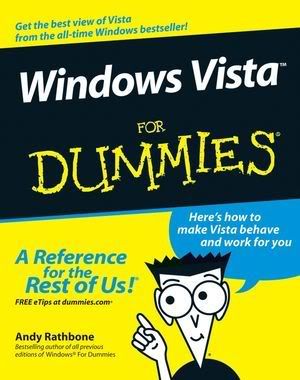
EBOOK : Windows Vista For Dummies

Windows Vista For Dummies

Windows Vista For Dummies
The thing that’s made Windows For Dummies so successful is that it’s packed with the basics you need to make Windows work. This book gets you through all the Windows Vista tasks and tripwires, including starting programs, finding files, navigating the new see-through interface, staying safe while you cruise the Internet, and much more.

Discover how to
Find files when they’re hiding
Hook up with another computer
Make Vista work like XP
Block Internet bad guys
Share a PC without sharing your files
Fix problems yourself

This past year. computers have had a numerous makeover. There have been numerous games that have defined many P.C.s and video game systems like the Xbox 360 and the Nintendo Wii. Although video game systems have been high and low, the windows have also recieved a change. While so many more computer are geared to Windows XP operating systems today, they are also geared to being compatable to the next edition of the Windows operating system, Vista. With many computer heads wanting to bump up and update the functions and the potential of their computer with the next Windows, they just don’t know how it will be on the computers. This will take you to the next level.Windows Vista For Dummies is a comprehensive step-by-step guide that takes you through the motions of knowing how to operate your way through the new operating system. The book is very detailed and basic for those who don’t have a computer yet, or if you have Windows XP and just want to upgrade. There are many different details here on this version including how to operate Windows Media Player 11, and the compatabilty of new download services like Urge, and the new Internet Explorer 7 that now scans for phishing and possible identity theft, which may protect you from losing money and credit card information. The graphs and diagrams are detailed nicely, and handle perfectionally for basic Vista owners, and people who really don’t know how to even operate a computer.

All in all, Windows Vista For Dummies is a real must buy for anyone who has the need to get the newest Windows Operating System. However, if you’re satisfied with the way Windows XP works, there is no entity to upgrade. I really recommend this book from the Dummies people because it really teaches anyone the simpliest tricks of the trade, and that will help you to the Vista light.


Download link

Wednesday, December 3, 2008

EBOOK : CNET Do-It-Yourself PC Upgrade Projects

CNET Do-It-Yourself PC Upgrade Projects
McGraw-Hill Osborne Media | 2008 | English | 288 pages | PDF | 11 MB

Now you can get the most out of your PC with the fun and practical projects packed inside this easy-to-follow guide. Produced in conjunction with CNET.com, the place you go for the latest in tech and consumer electronics, this book shows you how to exploit the media, communications, networking, and security features of your PC. You'll also find out how to add powerful hardware and software, improve performance, and expand your computer's capabilities.
Inside, you'll find 24 self-contained projects, clear step-by-step instructions, a list of tools needed at the beginning of each project, and hundreds of helpful photos and screenshots. With CNET Do-It-Yourself PC Upgrade Projects, you'll be able to take your PC to peak performance--and beyond.

*Transform your PC into a video phone
*Add two or more extra monitors so you can see all your work at once
*Set up your PC as a recording studio
*Create a permanent wireless network or a temporary one
*Back up your data safely--and restore it
*Digitize your paper documents for safekeeping
*Secure your secrets in a virtual locker
*And much more

SOFTWARE : Yahoo! Messenger with Voice 8

Yahoo Messenger 8 Full Standalone Installer

You can download and install Yahoo! Messenger with Voice 8 from Yahoo!. However, Yahoo! forces you in such a way that you need to download a small setup program installer that will later initiate the download, setup and installation of actually Yahoo! Messenger setup file. It is hard for dialup users to download the file and all the data is lost if the disconnection occurs.
You can download full standalone setup installer for Yahoo! Messenger with Voice 8. This way you can download the file using any download manager and you dont have to download the whole file again if disconnection occurs. .

It was not possible till now in version9..

Download: 9.89 MB


Download

Tuesday, December 2, 2008

SOFTWARE : Driver Magician 3.28

Driver Magician 3.28

Driver Magician 3.28

Driver Magician offers a professional solution for device drivers backup, restoration, update and removal in Windows operating system. It identifies all the hardware in the system, extracts their associated drivers from the hard disk and backs them up to a location of your choice. Then when you format and reinstall/upgrade your operating system, you can restore all the ”saved” drivers just as if you had the original driver diskettes in your hands. After one system reboot, your PC will be loaded and running with the required hardware drivers.

What’s more, Driver Magician has a built in database of the latest drivers with the ability to go to the Internet to receive the driver updates. It saves lots of time to find the correct drivers and mature drivers will obviously increase the performance of hardware. If there are unknown devices in your PC, Driver Magician helps you detect them easily and quickly with its built in hardware identifier database.

Key features:
Back up device drivers of your computer in four modes.
Restore device drivers from backup in one mouse click.
Update device drivers of your PC to improve system performance and stability.
Uninstall device drivers
Live Update device identifier database and driver update database.
Detect unknown devices.
Back up more items such as My Documents and Registry.
Restore more items from backup.
Get detailed information of the hardware drivers.
Clone all drivers to an auto-setup package (.EXE), so you can restore drivers without installing Driver Magician.

SOFTWARE : WinRar 3.80

WinRar 3.80

WinRAR is a powerful archive manager (Win32, Linux, Mac). RAR files can usually compress content by 8 percent to 15 percent more than ZIP files can. WinRAR is a powerful compression tool with many integrated additional functions to help you organize your compressed archives. It can backup your data and reduce size of email attachments, decompress RAR, ZIP and other files downloaded from Internet and create new archives in RAR and ZIP file format.

WinRAR puts you ahead of the crowd when it comes to compression. By consistently creating smaller archives, WinRAR is often faster than the competition. This will save you disc space, transmission costs AND valuable working time as well. WinRAR is ideal for multimedia files. WinRAR automatically recognizes and selects the best compression method. The special compression algorithm compresses multimedia files, executables and object libraries particularly well.

Features of WinRAR:
- Using WinRAR puts you ahead of the crowd when it comes to compression by consistently making smaller archives than the competition, saving disk space and transmission costs.
- WinRAR provides complete support for RAR and ZIP archives and is able to unpack CAB, ARJ, LZH, TAR, GZ, ACE, UUE, BZ2, JAR, ISO, 7Z, Z archives.
- WinRAR offers a graphic interactive interface utilizing mouse and menus as well as the command line interface.
- WinRAR is easier to use than many other archivers with the inclusion of a special “Wizard” mode which allows instant access to the basic archiving functions through a simple question and answer procedure. This avoids confusion in the early stages of use.
- WinRAR offers you the benefit of industry strength archive encryption using AES (Advanced Encryption Standard) with a key of 128 bits.
- WinRAR supports files and archives up to 8,589 billion gigabytes in size. The number of archived files is, for all practical purposes, unlimited.
- WinRAR offers the ability to create selfextracting and multivolume archives.
Recovery record and recovery volumes allow to reconstruct even physically damaged archives.
- WinRAR features are constantly being developed to keep WinRAR ahead of the pack.

Changes in Version 3.80:
1. Added support for ZIP archives containing Unicode file names in UTF-8 format. When creating ZIP archive, WinRAR stores names in Unicode only if they cannot be stored correctly using the current single byte character set.
2. Added decompression support for WinZip AES encrypted ZIP archives.
3. Improved Unicode support for RAR and ZIP archive names.
4. “Ask before overwrite” and “Skip existing files” update modes are now available in archiving dialog. They allow to specify WinRAR behavior when updating already existing files in archive. Unlike already available “Fresh existing files only” and “Add and update files”, these new modes ignore file date and compare only file names.

Command line equivalents of these modes are:
a) switch -o enables “Ask before overwrite” archiving mode;
b) switch -o- enables “Skip existing files” archiving mode;
c) switch -o+ enables “Overwrite all” mode (default for archiving).

5. New “Add to context menu” option in “Profile parameters” dialog. If this option is on, the profile name will be displayed in Explorer context menus allowing to activate a profile from context menu.
6. New -cp switch allows to select a compression profile in command line mode. It is supported only by GUI WinRAR.exe, not by rar.exe.
7. New “Options” page of archiving dialog contains the group of settings modifying the behavior of “Delete files after archiving” option from “General” page:
a) Delete files. Delete files normally like in previous WinRAR versions.
b) Move files to Recycle Bin. Deleted files are placed to Recycle Bin.
Command line equivalent of this option is -dr switch.
c) Wipe files. Before deleting file data are overwritten by zero bytes to prevent recovery of deleted files.
Command line equivalent of this option is -dw switch.

All these options have an effect only if “Delete files after archiving” is on. You can enable any of these options in the default compression profile to change the default behavior of “Delete files after archiving”.

8. WinRAR “Extraction path and options” dialog is now resizable. You can use the mouse to drag its border to the desired size and provide more space for folder tree pane. WinRAR will store new dimensions of this dialog.
9. New “Update” SFX script command and “Update mode” group of options in “Update” page of “Advanced SFX options” dialog. These command and options allow to check time and implement file time based updating;
10. SFX script “Shortcut” command and “Add shortcut…” command in “Advanced SFX options” dialog now allow to specify an icon file containing an icon associated with shortcut.
11. New “Wipe temporary files” option in “Settings/Security” dialog provides more secure, though slower, way to delete temporary WinRAR files.
12. WinRAR and RAR display the total progress bar when unpacking a multivolume RAR archive if all volumes are present in the same folder.
13. WinRAR and RAR automatically expand names of environment variables in list files. For example, a list file can contain lines like:
%windir%\*.exe
%USERPROFILE%\Desktop

This feature is available only in Windows RAR version.

14. Added support of TAR archives with non-zero “extra field” data.
15. Added support of TAR archives, which does not contain the end of archive entry consisting of 512 zero bytes.
16. Improved Unicode support when dragging files from WinRAR window.
17. Shift+Tab key combination can be used in main WinRAR window to switch the input focus between interface elements (files, comment, tree, address) in reverse order. In previous versions Shift+Tab used the same order as Tab.
18. Corrected a possible WinRAR crash when opening truncated UDF ISO files.

Download WinRar 3.80:

Download

Password: www.warez-mk.com

EBOOK : PC Magazine January-December 2008 + PC Magazine Office 2007 Solutions


PC Magazine January-December 2008 + PC Magazine Office 2007 Solutions
12 Issues + Extra Issue (Vol.27, No.1-13) |330Mb | Rapidshare